AUDI EXAMPLE
Audi A6 3.0 TDI · Bosch EDC17CP44 MapPack.
This is the exact Audi example used in our public WinOLS demonstration and Tuning Editor gallery. Its MapPack contains 316 map definitions organised into 21 functional categories. The same original file was used for the WinOLS project and the browser workspace.
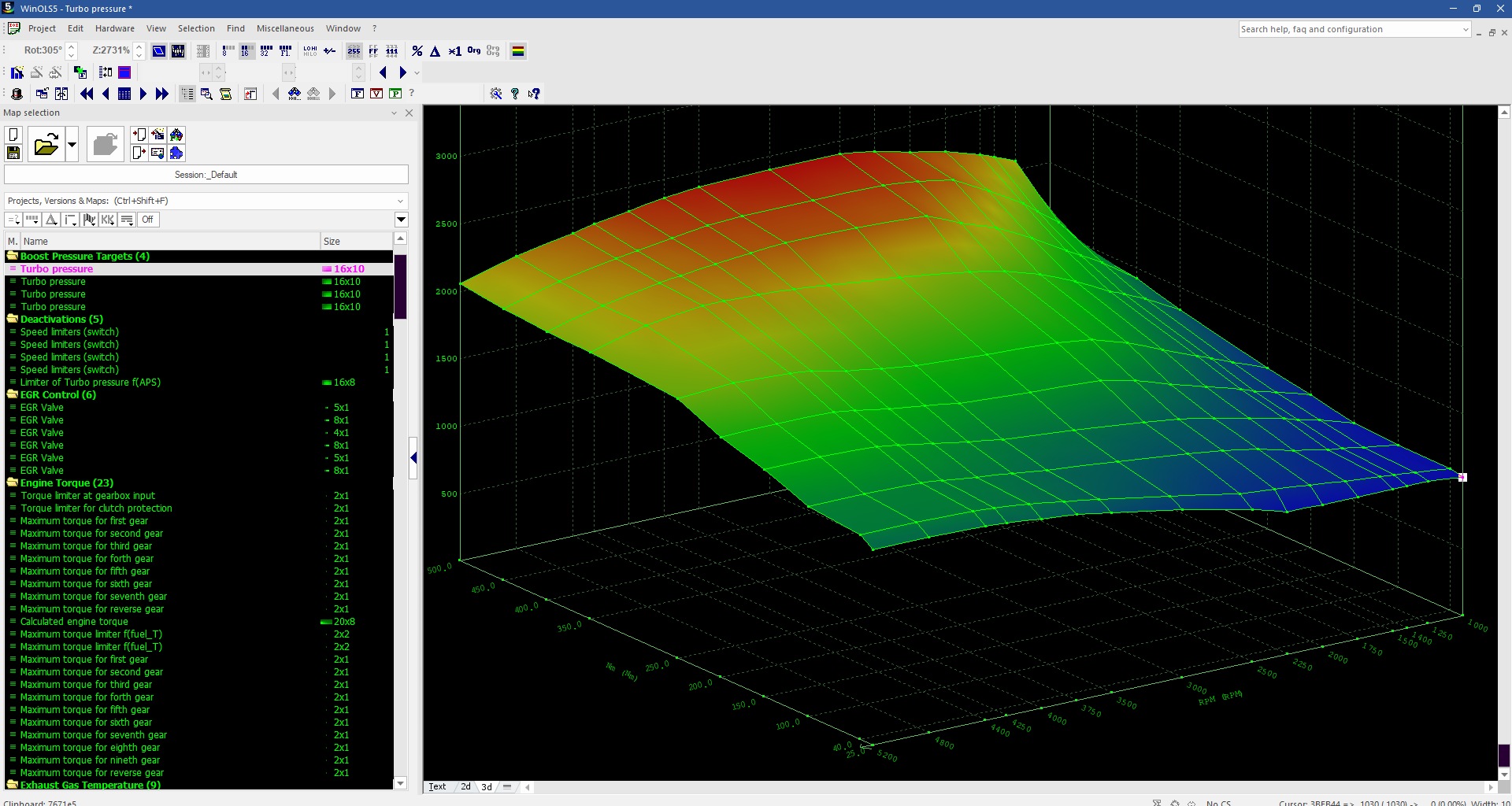
What is inside this particular MapPack?
- Boost Pressure Targets: 4 definitions, including Turbo pressure.
- Engine Torque: 23 definitions, including Calculated engine torque.
- Injection Timing: 89 definitions, including main injection base maps.
- Rail Pressure Targets: 27 definitions.
- Torque Limiters: 26 definitions.
- VGT / Wastegate Control: 21 definitions.
These six groups are a selection from the 21 categories, not the full list. Multiple definitions may share a descriptive name because they represent different tables or operating conditions. The counts describe this original file only.
From map definitions to a browser workspace.
For this supported project, the browser editor displays the map explorer beside the selected calibration. Table values, 2D curves and a 3D surface are different views of the same map data; switching views does not change the original.
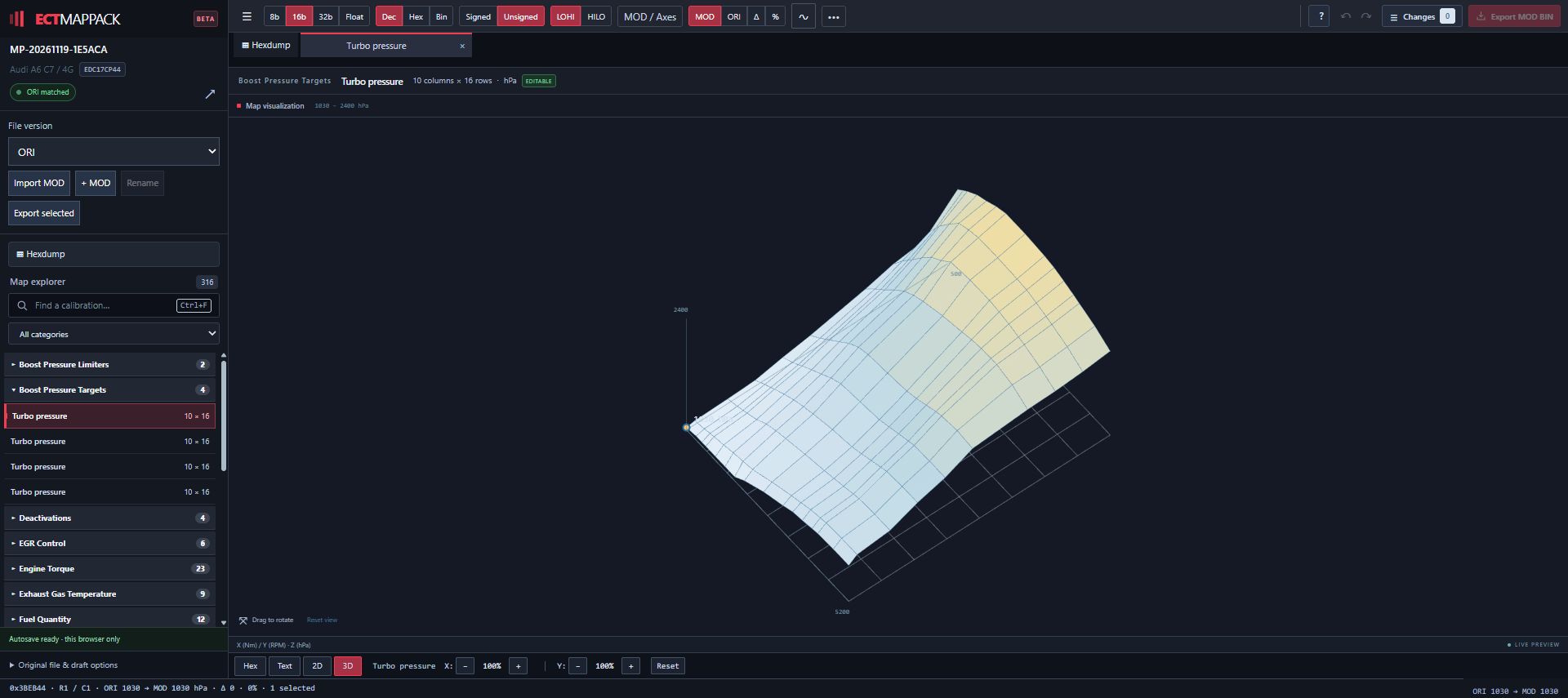
This is a documented example, not a universal EDC17CP44 coverage promise. A different software version or read layout can require different definitions. Check your own original file before requesting or importing a MapPack.
01 / TOYOTA EXAMPLE
Toyota GR Supra A90 · Bosch MG1CS201.
The screenshot shows the Toyota Supra original project with maps organised into named folders. The open definitions include engine load, airflow, torque, exhaust gas temperature and sport display calibration.
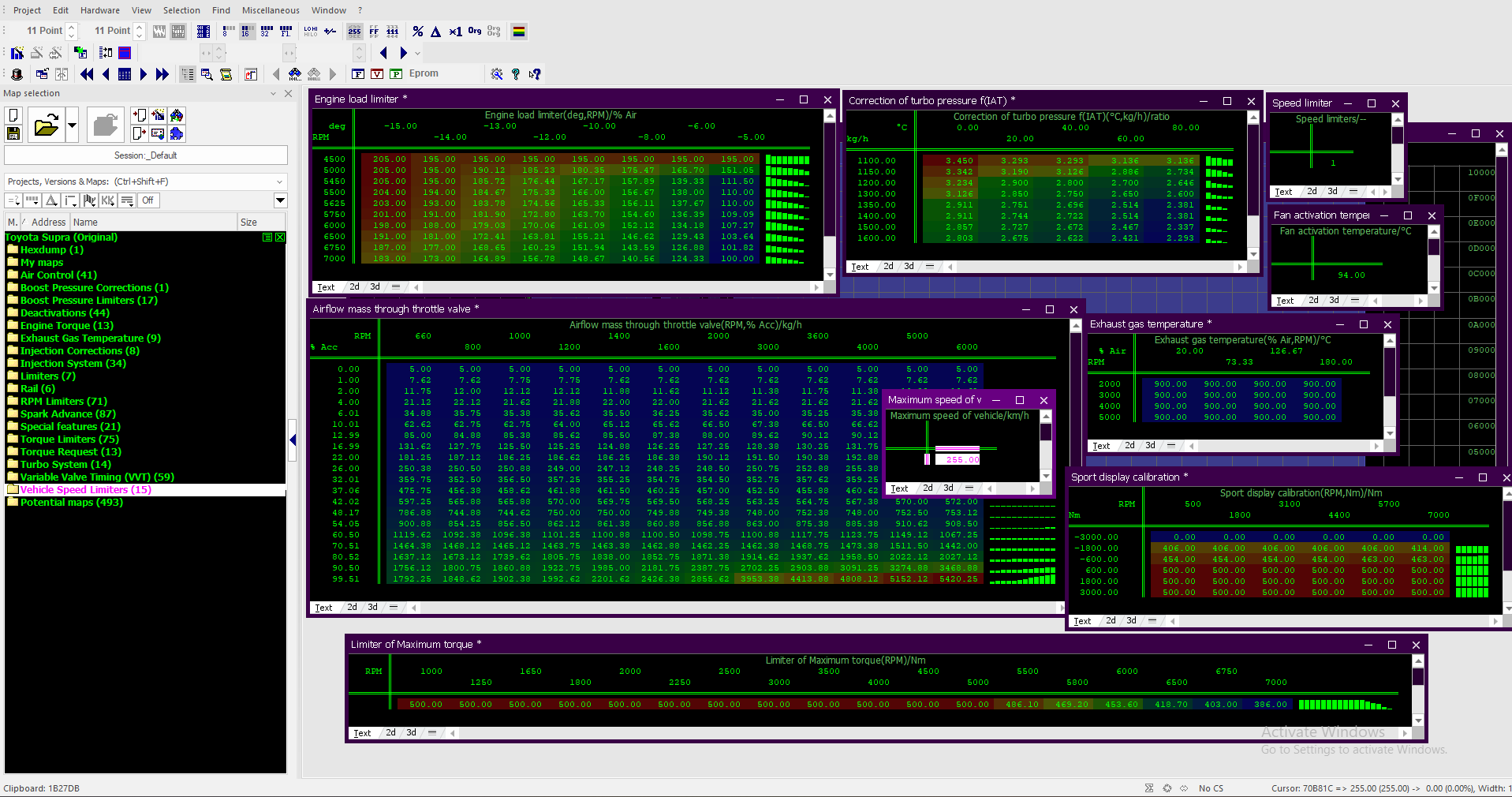
Visible groups in this screenshot.
- Air Control: 41 entries.
- Engine Torque: 13 entries.
- Torque Limiters: 75 entries.
These are the displayed folder counts in this example, not a coverage promise for another software version or a total MapPack count.
When you request a MapPack for an MG1CS201 file, use the exact original read and the ECU/software details from that file. A shared ECU family alone does not establish matching addresses or map coverage.
02 / VOLKSWAGEN EXAMPLE
Golf VIII GTI · Continental Simos19.6.
This public example shows organised map groups in a Golf VIII GTI WinOLS project. Engine load, torque and ignition-related definitions can be inspected alongside their table layouts.
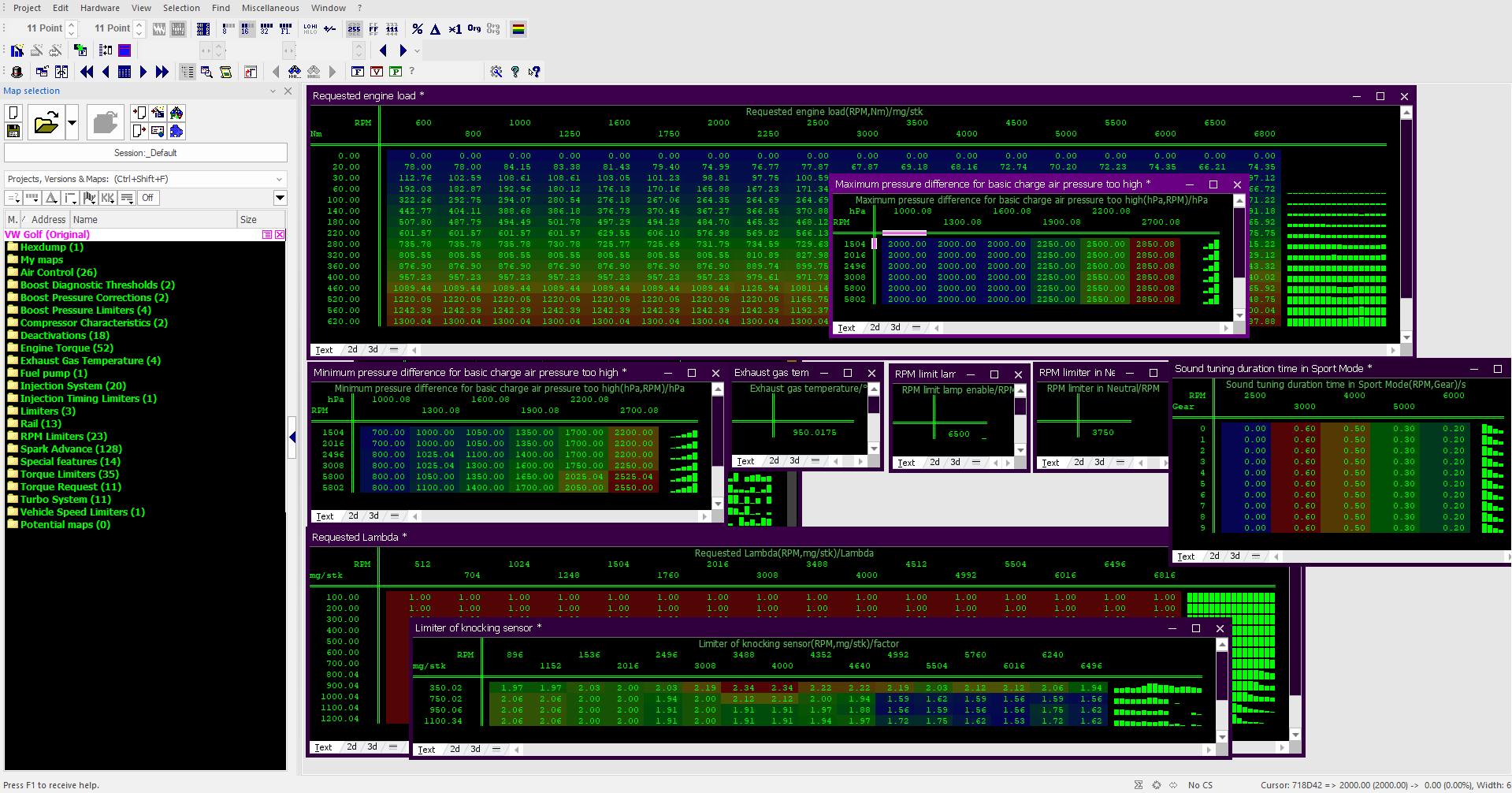
- Air Control: 26 entries.
- Engine Torque: 52 entries.
- Torque Limiters: 35 entries.
Another Simos19.6 software or read layout can contain different definitions. Check the result for your own uploaded file rather than using this image as an availability list.
03 / YOUR OWN REQUEST
From original ORI to Free Preview and WinOLS.
Upload the original ORI.
Start with the free ORI availability check, or create a request in the portal. Prepare an unmodified original ECU file and complete the vehicle, ECU, software and reading-tool details requested by the portal. Keep that same file for your WinOLS project.
Check the completed map list for free.
When the result is ready, open Preview map list in your request. Browse names, categories and table dimensions without using a credit. Where a version comparison is available, you can also see the added maps.
Unlock the completed download.
One credit is charged on the first download of that request's completed MapPack. Later downloads and available versions share the same entitlement. Previewing the list does not unlock or charge for the full file.
Import the JSON into the matching project.
Extract the package, locate the JSON and follow the WinOLS 5 CSV/JSON map-list import guide. Open the project containing the exact original file used for the request.
Eligible completed projects may also open in the online ECU Tuning Editor. Follow the browser editing guide for map views, ORI/MOD comparison and export.
New requests follow the credit requirements shown in your account. Previewing an existing completed result is free; these are separate steps.
04 / AFTER IMPORT
Check the definitions before calibration work.
Open several maps and compare names, addresses, dimensions, available axes, units and scaling with the supplied definitions. The examples illustrate project organisation; the screenshot alone does not verify another file or replace those checks.
A MapPack supplies map definitions. Importing it does not change calibration values, apply a tuning stage or flash an ECU. Read what a WinOLS MapPack contains for the distinction between your original binary, its definitions and a modified file.